top of page
Beautiful Charts.
Easy. Peasy.
Turn raw data into beautiful, on-brand visualisations without the typical spreadsheet headache.
"It's so simple, yet, I have full control over the styling to produce great looking charts!"

Your data from
or

quick, beatiful Charts
![]() | ![]() | ![]() | ![]() |
|---|---|---|---|
![]() | ![]() |
Simply import a CSV/XLS, or paste in your data, and create beautiful charts ready for your presentation!
The perfect companion app for Data Analysts, Product Managers and anyone wanting quick, easy and great-looking charts!
Find the right chart to tell your story...
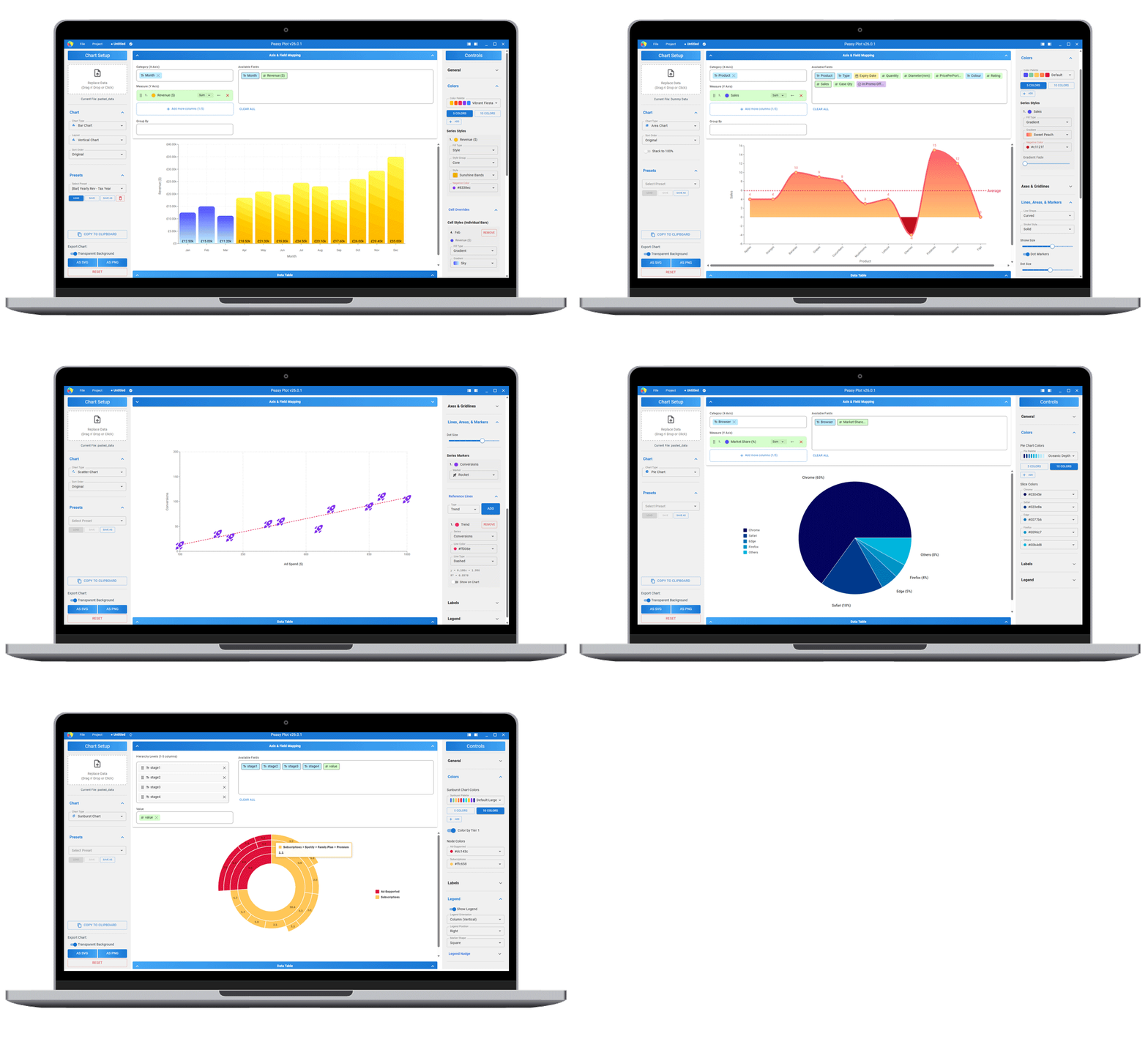
Choose from over ten types of chart including Bar, Line, Area, Pie, Funnel, Radar and Sankey!


FAQ
Anyone who needs to turn a messy spreadsheet into a beautiful, branded presentation slide in under 2 minutes.
It’s the weapon of choice for marketers, consultants, founders, and designers who refuse to present default-looking charts.
It is ideal if you are:
• A Marketer or Consultant: You need on-brand visuals for slide decks and reports, and you need them yesterday.
• A Founder or Executive: You are pitching to investors or the board and your charts need to look as professional as your business.
• A Designer: You need accurate data visualizations in SVG format that you can further manipulate in Illustrator or Figma.
• An Educator: You want a focused, distraction-free tool to teach data storytelling concepts to students.
If you want to spend less time fighting with spreadsheet defaults and more time presenting your insights, Peasy Plot is for you.
Peasy Plot is a desktop application for Microsoft Windows.
Because spreadsheet software is built for calculating numbers, not presenting them.
While tools like Excel or Google Sheets are incredible for analysis, turning that analysis into a beautiful, on-brand chart for a presentation is often a frustrating, multi-step process buried in complex menus.
Peasy Plot is a specialized tool focused entirely on the final 10% of the process: aesthetics and output. It’s the fastest bridge between raw data and a presentation-ready slide.
It’s designed to get you from a messy CSV to a stunning, branded, high-resolution chart in under 2 minutes.
Peasy Plot focuses on the chart types most commonly used in professional presentations and reports. We currently support 14 different types across a few categories:
• The Essentials: Bar, Line, Area, Pie, and Scatter plots.
• Advanced Comparisons: Combo charts (mixing bars, lines, and areas), Radar, Polar Bar, and Radial Bar charts.
• Flow & Hierarchy: Sankey diagrams, Sunburst charts, and Funnels.
• Specialized Types: Population pyramids and Area Bump charts.
Every chart type includes extensive customization options for colours, fonts, and styles to match your brand. (And yes, as a solo developer, I am always taking requests for new chart types to add to the roster!)
Peasy Plot is designed to get charts into presentations and documents seamlessly.
• PNG: High-resolution images perfect for PowerPoint, Keynote, or Word.
• SVG: Scalable vector graphics that stay crisp at any size, perfect for the web or professional printing.
• Clipboard: The fastest option—just click "Copy" in the app and paste the finished chart directly into your slide deck.
Charts can have a black/white/transparent background to suit your needs.
Yes. We understand many people work across multiple machines.
• Solo & Lifetime Licenses: You can install and activate the app on up to two computers per license.
• Team Licenses: The primary seat includes two activations. Additional team seats include one activation each.
• Education: Please contact us for custom quotes for schools and universities.
Your data is completely safe because it never leaves your computer.
Peasy Plot is a 100% offline desktop application. Unlike web-based tools, we do not upload your CSVs or Excel files to a cloud server to process them. Everything happens locally on your machine. This makes Peasy Plot safe for sensitive corporate or financial data.
Peasy Plot is designed as a private, local desktop application. We do not store your data on our servers, so there is no built-in "Peasy Cloud" sync. Your data stays on your machine.
However, you can easily sync your work yourself.
Peasy Plot saves your work into a single, portable file format (.peasy) that contains both your data and chart settings. Simply save these files into a cloud folder like Google Drive, Dropbox, or OneDrive.
By doing this, your work will automatically be available on any other computer where you have Peasy Plot installed.
Peasy Plot is built, maintained, and supported by a single independent developer.
Support is provided directly via email at support@peasyplot.com.(mailto:support@peasyplot.com) Whether you have found a bug, have a feature request, or just have a question, that is where to send it.
What to expect:
• Response Times: As this is a solo project run alongside other commitments, please allow 1–2 business days for a reply.
• Development: The app is in active development. Feedback and bug reports are crucial and directly influence what gets prioritized in future updates.
If you decide to cancel, your subscription will stop auto-renewing, and you will not be charged again.
Don't worry, your access doesn't end immediately. You will retain full, uninterrupted access to Peasy Plot until the end of your current paid billing cycle. After that date, your license will become inactive, and you will no longer be able to use the application.
You are always welcome to resubscribe in the future if you need to make more charts.
No.
Think of Peasy Plot like a fully stocked kitchen—it already has all the ingredients and tools you need to cook amazing meals.
Addons are just like specialty spice blends. They are nice to have for specific flavours, but you absolutely don't need them to cook great food. The core app is packed with enough built-in styles and colour options to keep you creating for a long time.
Yes, absolutely.
You can download the free trial version today. It is the fully functional application, free to use for 30 days.
This way, you can import your own data and see exactly the kind of results you can get before committing to a license.
If Peasy Plot doesn't fit your workflow for any reason, simply email support@peasyplot.com within 30 days of your initial purchase, and I will happily issue a full refund.
No hoops to jump through and no hard feelings.

"I love the fact I can export an SVG or PNG, and the dark background preview is great for finding colors that pop in my company's branded decks!"
Easy to Use
Secure
Controls
Drag 'n' Drop
Drag in your CSV or paste in your data, and then drag 'n' drop your fields to map your columns.
Change column data types and format your numbers in the included Data Table!

Customise Everything
Beautiful Charts. Easy. Peasy.
Offline
Your data: local and secure.
Keep sensitive data private. Peasy Plot runs locally on your PC!

bottom of page


